What is FQDN?
It's acronym for fully qualified domain name (FQDN). It refers to the complete domain name that specifies a network resource, like a server, website, internal wiki, or other service that is reachable via a public or private network.
For IP based phone systems like ComXChange, a FQDNs are often used to access the web portion of an admin panel, or to connect to a SIP trunk provider such clearly trunking (eg: 1.us-central.clearlyip.com ). They also are easier to remember than numeric IP addresses, and if the IP address behind an FQDN changes, users can keep using the same FQDN as long as the one managing it updates it with a new IP.
These are some of the reasons why they are preferred over plain IP addresses.
However, a valid FQDN should be able to be resolved into an IP address, which the host trying to access it should be able to reach. If this rule is not followed the FQDN is referred as an invalid fqdn.
Why use a dummy FQDN
Like the name suggest, it is a fake domain that can be used instead of an IP address.
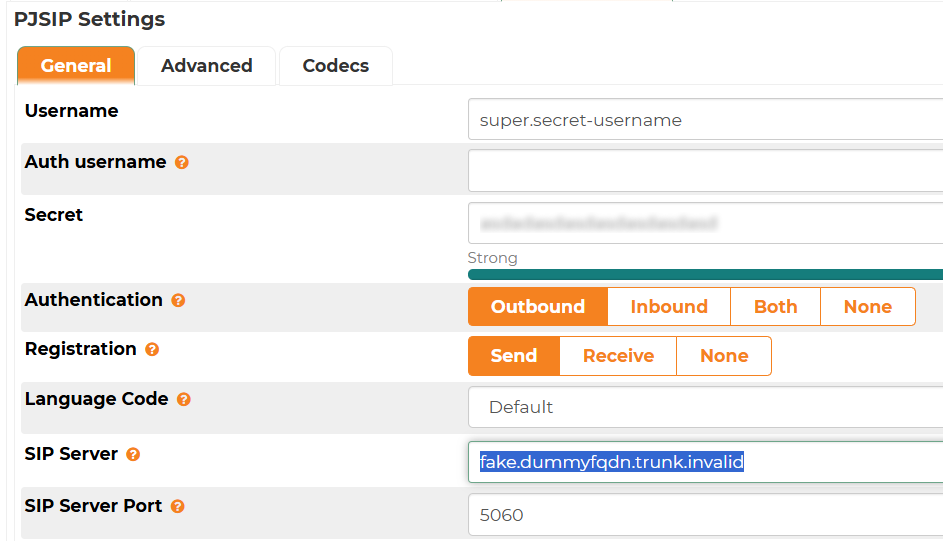
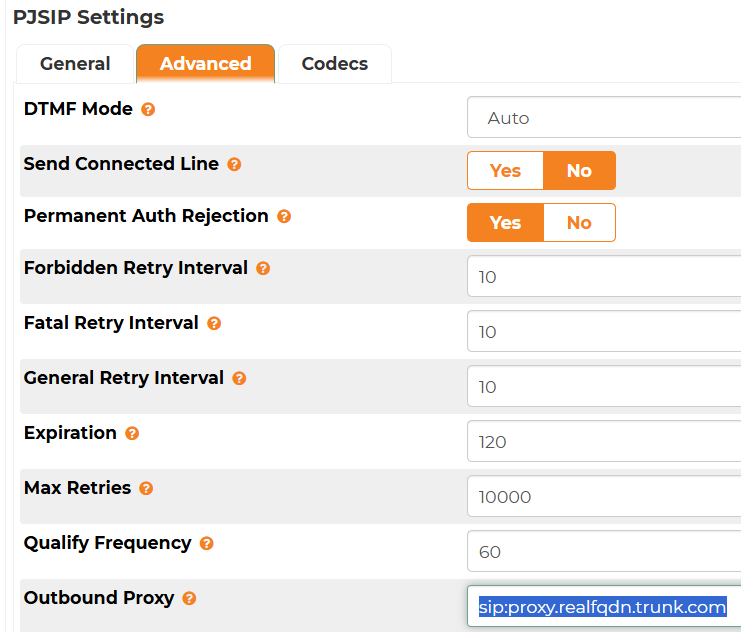
On the ComXchange specifics, there are some SIP trunk providers that may use a fixed proxy to send the traffic, and set the SIP server with dummy FQDNs to identify the client that is connecting to their proxied SBCs or trunks, or to validate the connection in some way; however these domains are invalid since they don't resolve to any IP address.
Dummy FQDN with no resolvable IP
Proxy with real, reachable SIP FQDN
Issues with invalid FQDN
It has been observed under certain conditions, that registration or call problems could occur on some systems after some period time, where the server will attempt to resolve this invalid FQDN and have delays, timeouts, or not resolve at all. Rebooting the server may fix the issue momentarily but it may occur after some time.
Symptoms:
- Registration will fail.
- Packet captures (sngrep / tcpdump) won't show any traffic to the trunk provider, invalid FQDN or Proxy servers.
- Possible call issues like jitter or delays to hear ringing when placing calls due to resolution order timeout
- Asterisk logs will show messages like this:
- [2026-04-28 23:28:56] WARNING[14056] res_pjsip_outbound_registration.c: No response received from 'sip:fake.dummyfqdn.trunk.invalid' on registration attempt to 'sip:1000000009@fake.dummyfqdn.trunk.invalid', retrying in '60'
- [2026-04-28 23:29:56] WARNING[14056] res_pjsip_outbound_registration.c: No response received from 'sip:fake.dummyfqdn.trunk.invalid' on registration attempt to 'sip:1000000009@fake.dummyfqdn.trunk.invalid', retrying in '60'
- [2026-04-28 23:30:56] WARNING[14056] res_pjsip_outbound_registration.c: No response received from 'sip:fake.dummyfqdn.trunk.invalid' on registration attempt to 'sip:1000000009@fake.dummyfqdn.trunk.invalid', retrying in '60'
- [2026-04-28 23:31:57] WARNING[14056] res_pjsip_outbound_registration.c: No response received from 'sip:fake.dummyfqdn.trunk.invalid' on registration attempt to 'sip:1000000009@fake.dummyfqdn.trunk.invalid', retrying in '60'
- [2026-04-28 23:32:57] WARNING[14056] res_pjsip_outbound_registration.c: No response received from 'sip:fake.dummyfqdn.trunk.invalid' on registration attempt to 'sip:1000000009@fake.dummyfqdn.trunk.invalid', retrying in '60'
Workaround: add dummy FQDN that resolves to the IP address of the proxy
Perform the following steps:
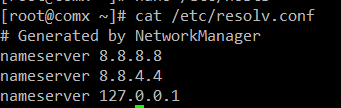
- Edit via SSH the file at /etc/resolv.conf
![]()
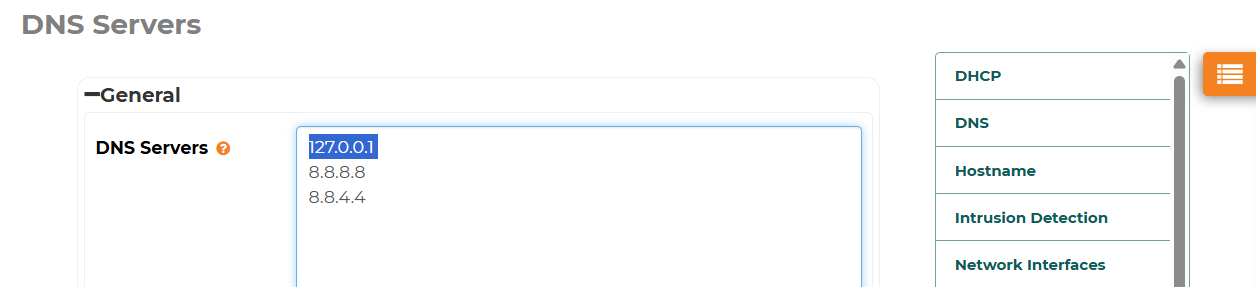
- Or add the DNS entry via the ComXchange web GUI, under Admin --> System Settings --> DNS
![]()
After all these changes are made, it's recommended to restart the server to clear up any DNS caches and allow the services to be fully restarted.

 Uploading ....